
Innovative MFA Solutions For K-12 Students

Company Sponsor
Clever Inc.
Roles
UI/UX Designer
Duration
Aug 2023 - Dec 2023
Team Size
9 UX Designers
In Partnership With The UX Experience Studio
This project was completed in partnership with the UX Experience Studio at Purdue University. While this project was completed and possibly implemented by a client company in a contract setting, I was not compensated in any way outside of the permission for inclusion in this portfolio.
Background
Who is Clever?
Clever is an educational technology company that provides a single sign-on (SSO) platform for K–12 schools. This allows students and teachers to securely access multiple learning apps with one login. Clever aims to streamline classroom technology use by simplifying account management and improving data security. In addition, Clever develops its own instructional supplements and educational apps for improved student learning.
What are MFAs?
Multi-factor authentication (MFA) is a security mechanism that requires users to verify their identity using two or more independent factors. By layering these factors, MFA significantly reduces the risk of unauthorized access even if one credential is compromised. It’s a core control in modern platform security for protecting accounts, systems, and sensitive data.

Problem
As Clever works to strengthen its platform against both external cyber threats and internal misuse (such as students accessing other students’ accounts), its existing multi-factor authentication solution falls short in both security and classroom usability. Testing revealed that accounts could be compromised within minutes, raising concerns about student data privacy, while troubleshooting login issues often consumes valuable class time and disrupts instruction. Therefore, there is a need to design a more secure, efficient, and accessible MFA experience within the Classroom MFA (CMFA) framework
Current State
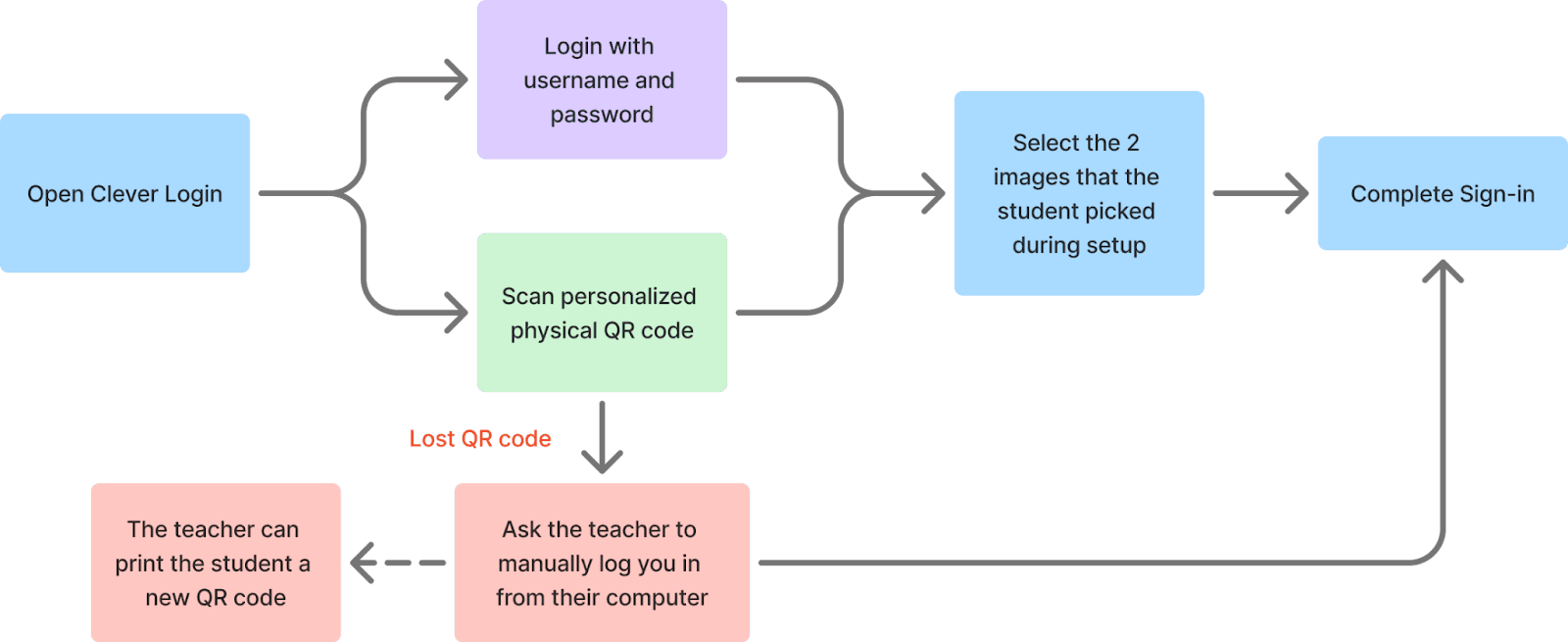
The current multi-factor authentication experience on Clever relies on a one of two primary login methods, username/password or QR code badge, followed by a secondary “Login Pictures” step, where students must identify images that they previously selected during setup. However, this process introduces usability and security challenges. The reliance on physical QR codes creates friction when codes are lost and the image selection proves weak. in testing, I was able to correctly guess the required image combination within the allotted three attempts.
Current Concerns

Students easily lose things
Teachers reported that students easily lose classroom materials and even their Clever Badge, which influenced how we considered possession-based MFAs.

Students are constantly moving throughout the school day
Teachers mentioned that students struggle with sitting still, so they plan for students to move around the classroom which would make location-based MFAs difficult.

Not secure enough
Teachers reported that students would take each other's QR codes or they to match passwords with their friends. I also found that the image matching could easily be brute-forced.
My Responsibilities
Conducted secondary research on board meeting workflows, governance processes, and approval activities.
Performed a heuristic evaluation the current site and a competitive analysis of leading board management platforms.
Created a current-state journey map to visualize user pain points across approvals within meetings.
Participated in and supported user interviews and usability testing sessions.
Translated research findings into low-fidelity sketches and solution concepts.
Developed and delivered the final high-fidelity prototype for stakeholder handoff and implementation.

Design Process
This project was more sprint focused rather than milestone focused. The project was laid out this way because there was a lot to accomplish is a limited amount of time. This required us to set limits on the amount of time we could spend on each individual goal. Our sprints were defined as follows:

Understand how MFAs differ and how they work. Understand how a typical K-12 classrooms function on a daily basis.

Understand how innovative technologies can be implemented into MFA designs.

What MFAs are currently feasible within the current scope of the project and what is the general perspective of these MFA additions to a classroom?

The development of a final design within Figma with an interactive demo.

What portions of the final MFA suggestion might need to be troubleshooted and how might Clever go about this?
Design Limitation
Due to legal parameters protecting the use of children within user testing, this project primarily used user testimonials from teachers and administrators within Clever classrooms. This means that all data collected is from the perspective of an adult facillitating the use of Clever rather than you student who will be using it.
Research & Ideation
As stated above, project was formatted in sprints rather than milestones. This allowed for us to continue to researching while we ideated. My goal was to explore brand new solutions that leverage upcoming technology. This meant that I was able to create a potential solution from every new piece of technology that I came across. In the end this resulted in 35 unique ideas that were presented to the sponsors.
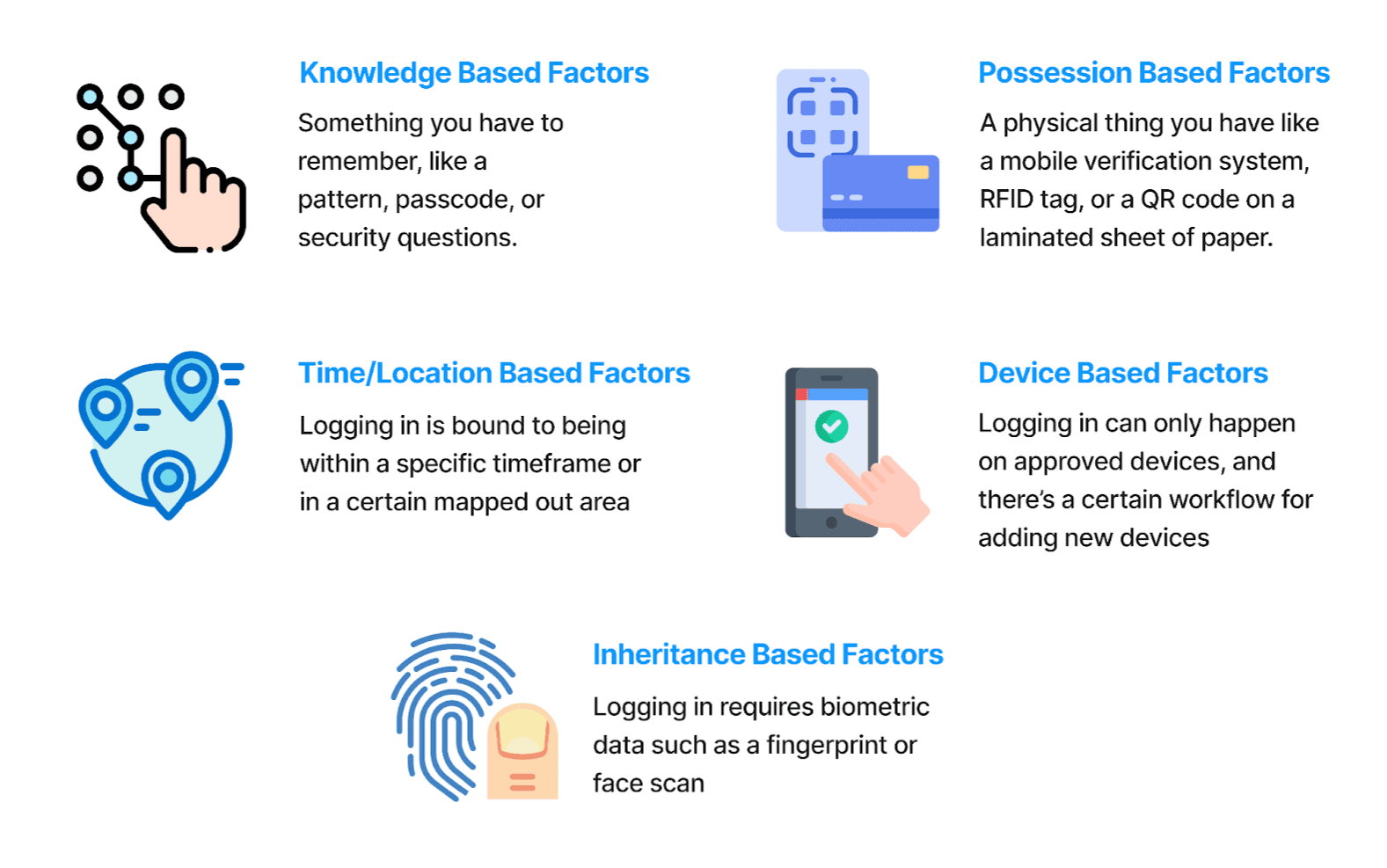
Types of MFAs
Idea Analysis
After our initial blue sky idea ideation period we had a total of 35 unique ideas. These ideas were then narrowed down using the following methods in order to get a final MFA solutions.
2x2 Feasibility Grid
Sort all 35 ideas into a 2x2 grid where the x-axis represented overall usability and the y-axis represented feasibility within the classroom setting.
18 Remaining Ideas
Sorting By Current Technology
Sorted the remaining 18 ideas based on how long it would take for technology to reach a place where the idea would be feasible. Favored currently feasible options.
7 Remaining Ideas
Sponsor Feedback
Designed and sketched out a user journey map for the remaining 7 ideas. Each idea was labeled with potential problems that could arise and how to troubleshoot those ideas. The ideas were then presented to the sponsored and further narrowed down to the ones they were the most interested in.
3 Remaining Ideas
Teacher Feedback
Designed a mockup and description of each remaining idea. The ideas were then tested with elementary school teachers. The team wanted to work with a mix of familiar and unfamiliar participants to the project for increased diversity of feedback. Based on their rankings, we gave each factor a score.
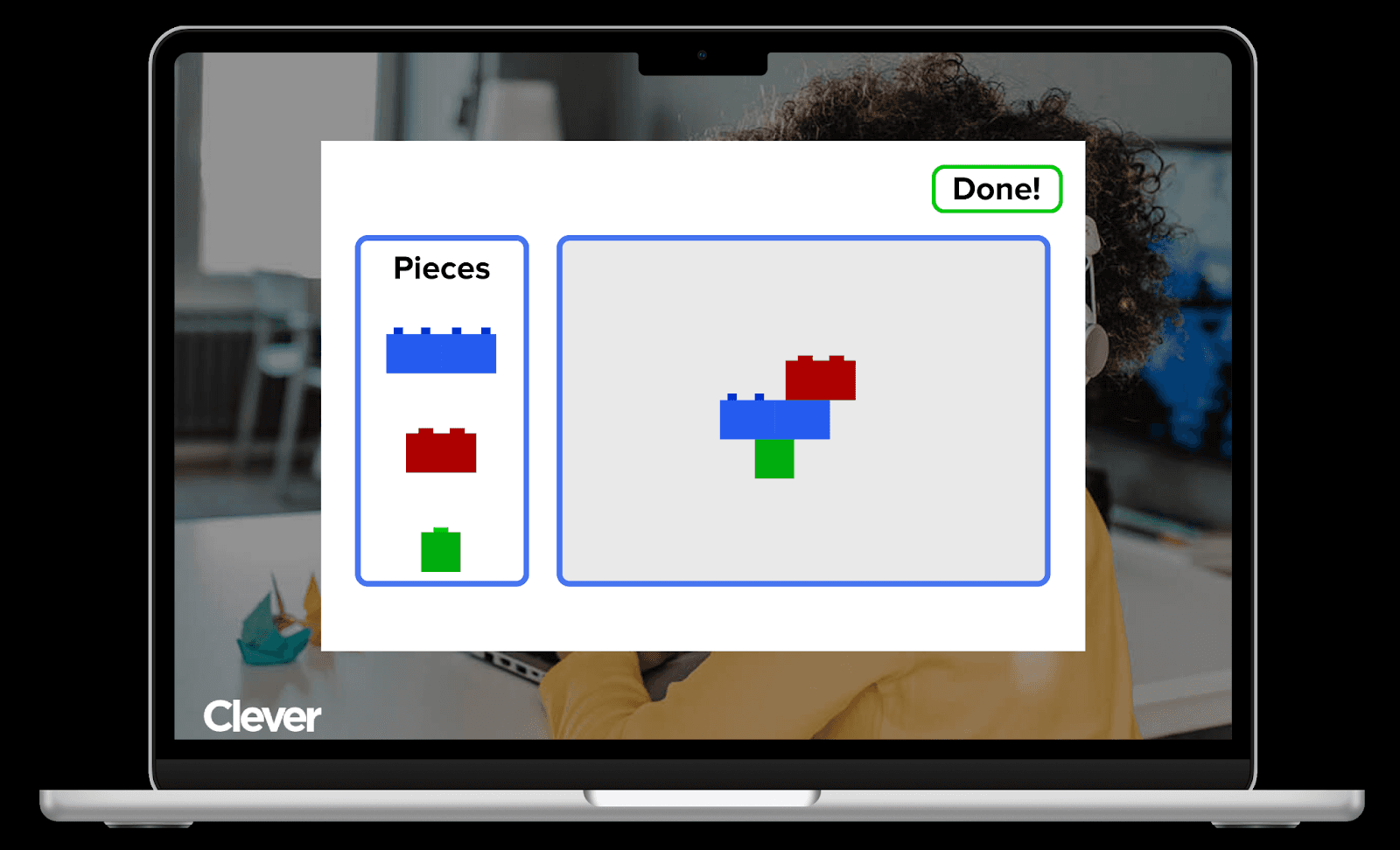
Building Block Simulator
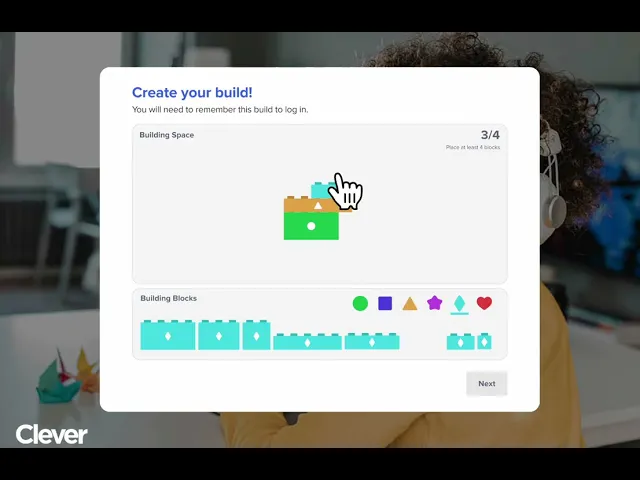
The building block simulator is a MFA factor that will work to identify the student’s login through a personalized design.
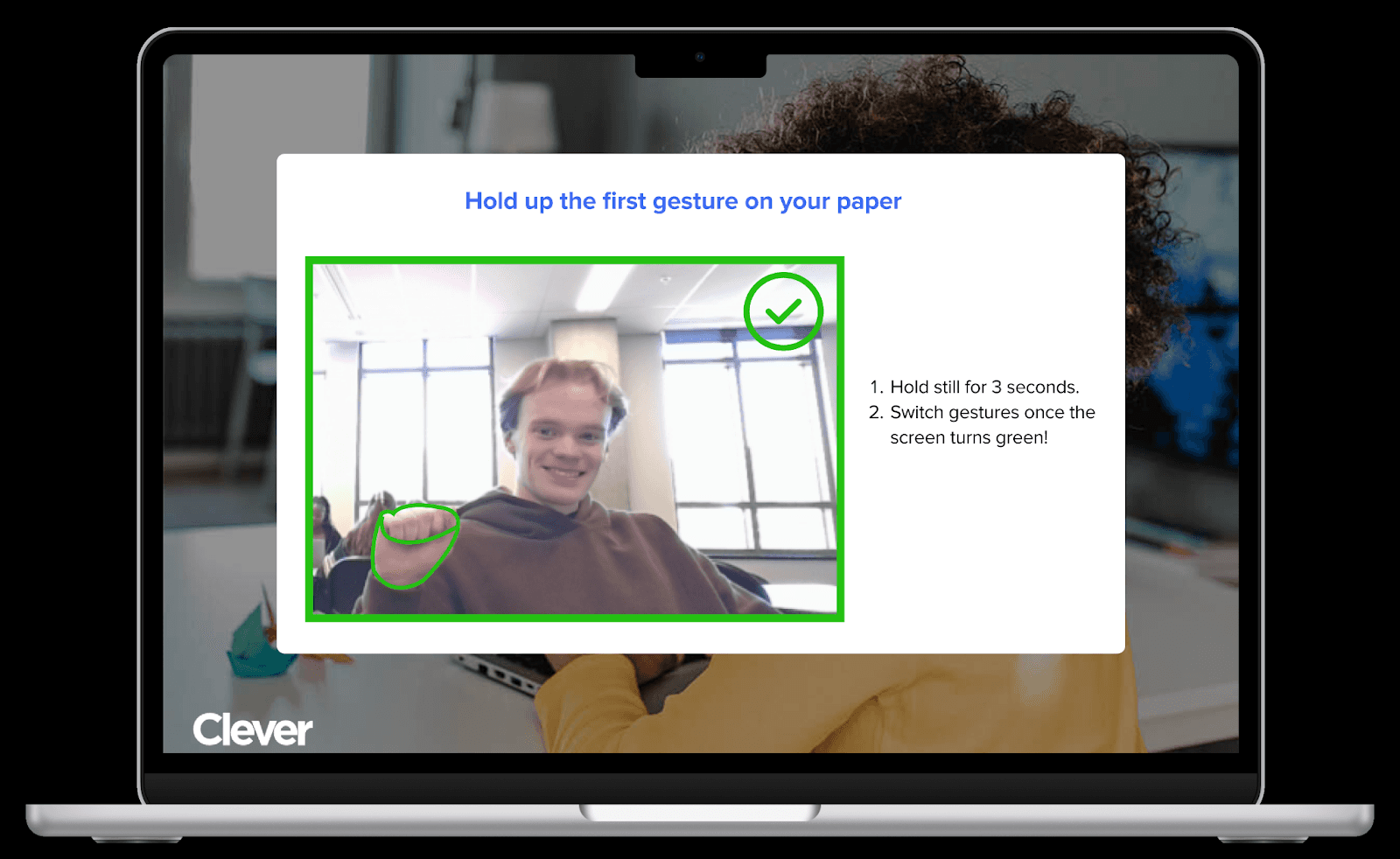
Gesture Recognition
Gesture-based authentication is a background MFA factor that recognizes hand gestures in a personalized order.
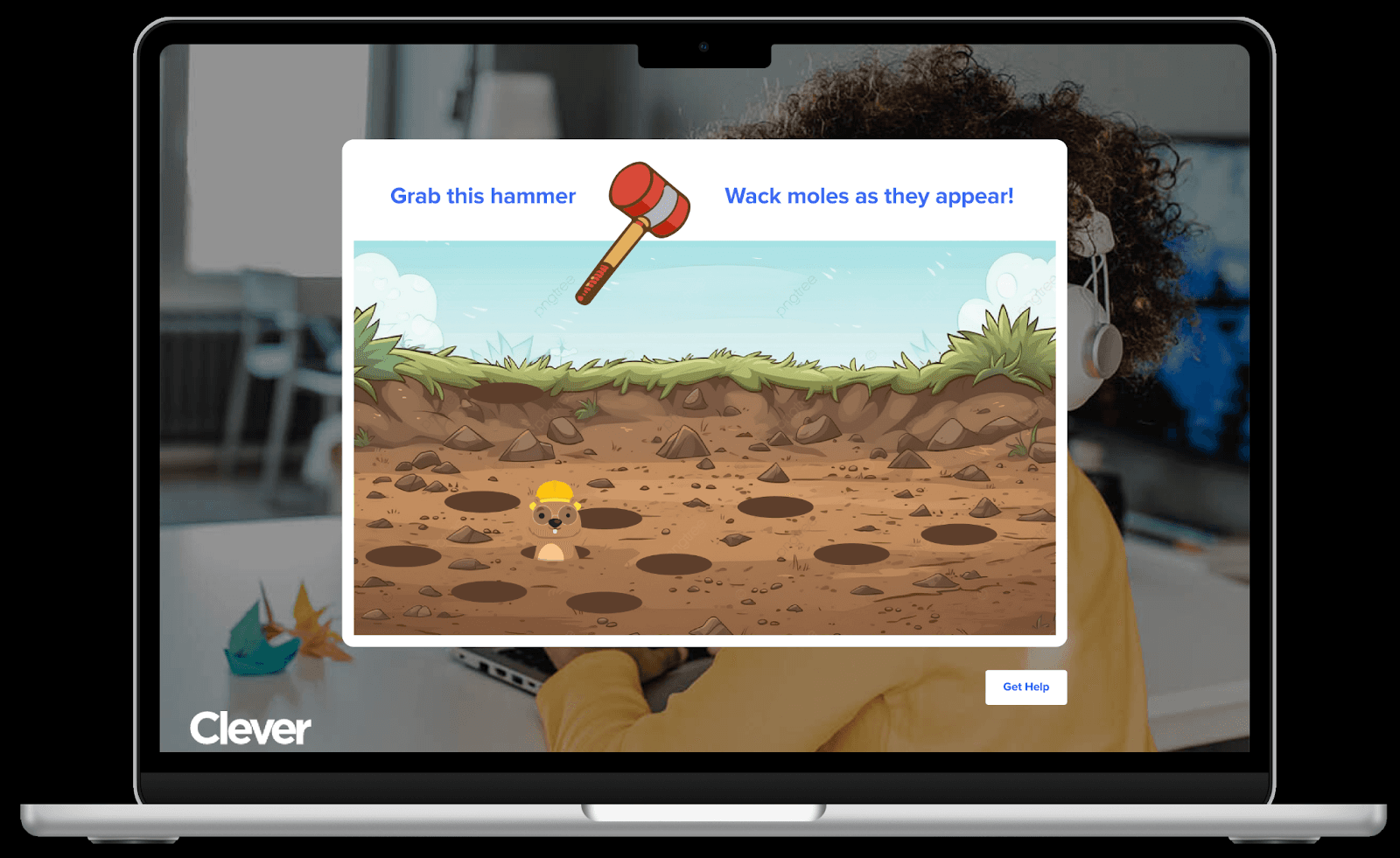
Behavior Recognition
Behavior Recognition is a background MFA concept that will work to read students’ mouse tracking and reaction time.
7
Votes
Building Block Simulator
6
Votes
Gesture Recognition
5
Votes
Behavior Recognition
1 Remaining Idea
Hi-Fi Solutions
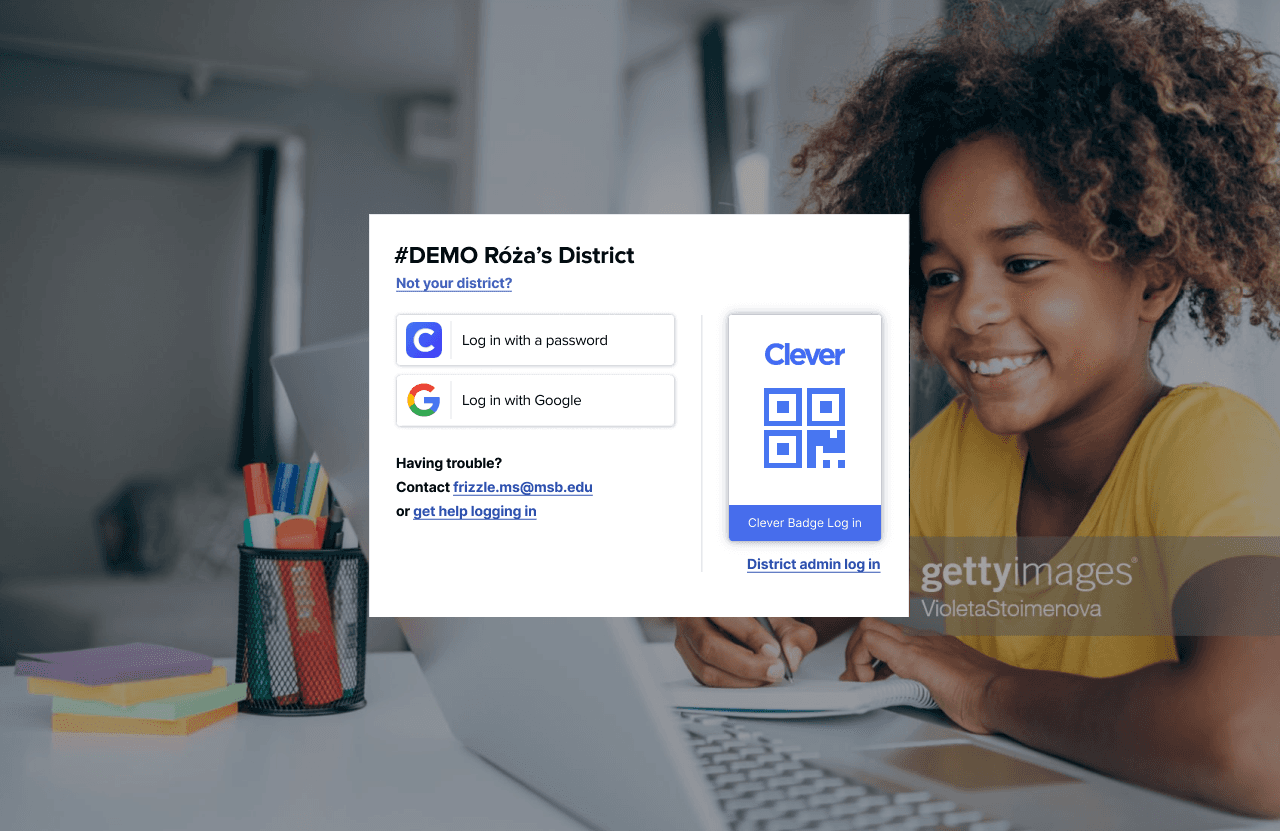
MFA Primary Login
The primary login, or first MFA factor, will remain the same as it currently is. The scope of this project was to help design an innovative addition to the primary login process. While the possession-based Clever QR code has its own problems, there is still an alternative username and password way to pass the first MFA process.
MFA First Login
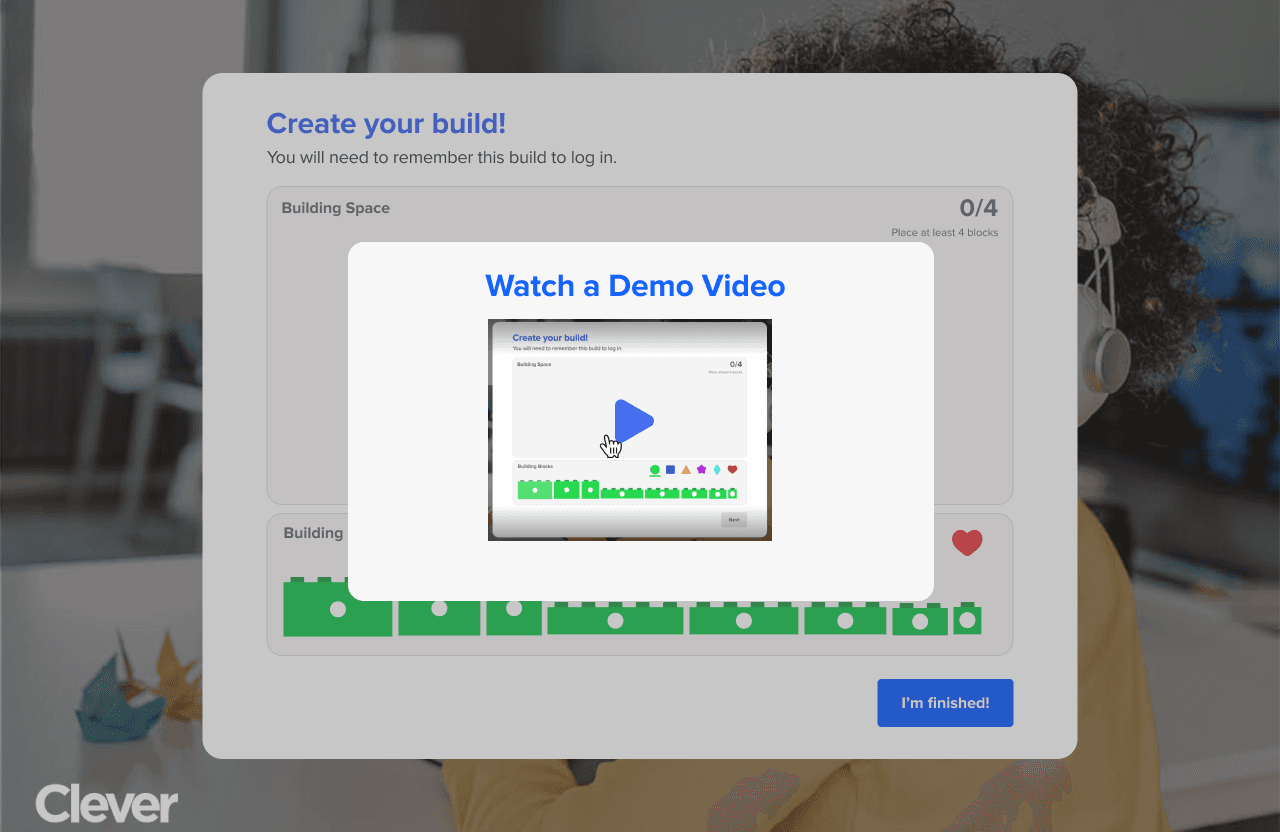
The first time a student logs onto their Clever account they will be prompted with a tutorial video, explaining how the MFA works and how to create a building block login. The student will then be prompted to build their login. This system does not allow duplicate builds in order to protect against students copying each other. The first person to claim a build will be the one who locks in that build.
MFA Secondary Login
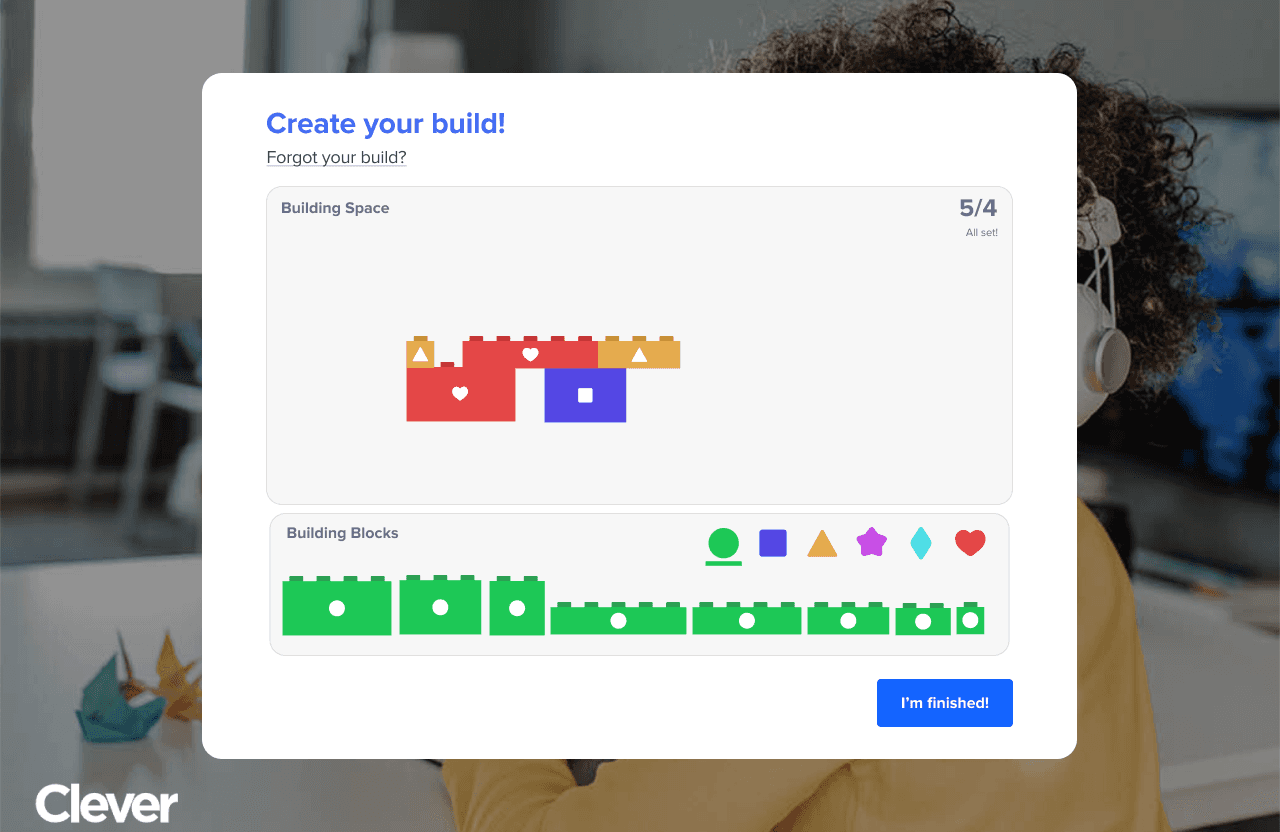
The secondary MFA factor is built to resemble typical building blocks that most students should be familiar with. The student will be met with a variety of blocks in different colors with different shape indicators for those that might have colorblindness. The student can cycle through the blocks at the bottom with the color filter. Each block can only be used once due to potential block differentiation problems.
See below for a video walkthrough
Successful Login
After the student has successfully passed both MFA factors they will be met with a success screen while the page loads into the main Clever portal.

Block Building MFA Walkthrough
The walkthrough below shows how a student would go about creating their building block solution. As you can see the student can select from a wide range of blocks. They can navigate these blocks through the use of the menu at the bottom of the screen. Once the student has selected block they wish to use they can drag it onto the screen and attach it to any previous blocks. If this is the first time the student is creating their build they must meet the required 4 blocks that is displayed in the top right of the screen.
Troubleshooting
The sponsored required that troubleshooting was given special attention throughout the design process. This is because the goal of this project was to create a more secure MFA that did not cost teachers class time while still being usable for younger audiences. In order to meet this goal, the troubleshooting methods had to be quick, simplistic, and relatively non-disruptive.
MFA attempts
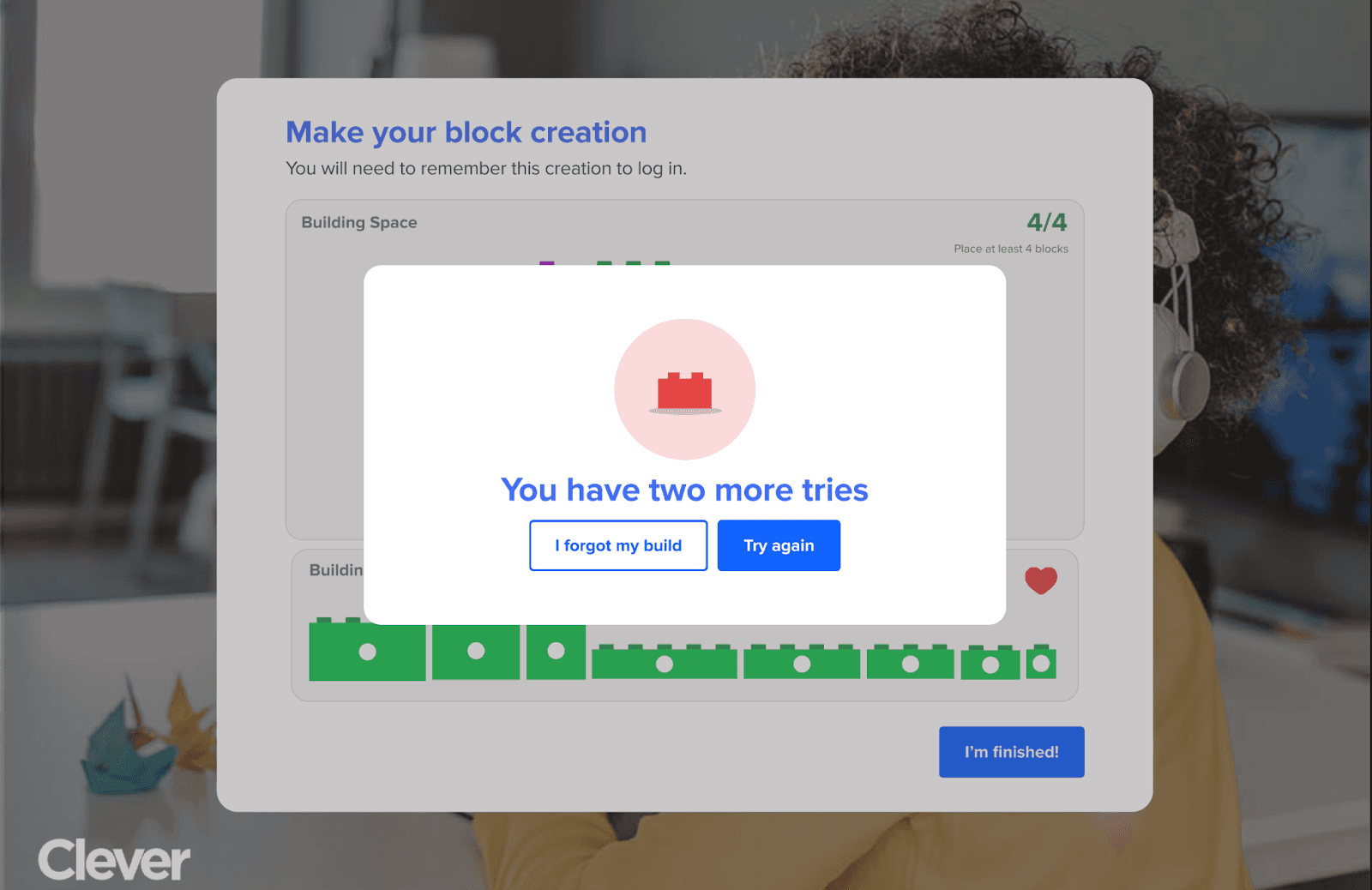
The first element to troubleshooting a incorrect student build is allowing them to try up to 3 times. This eliminates accidental mistakes and allows the students to test solutions if they couldn't quite remember on the first try.
Discrete Notifications
After the student has gotten the wrong password, the teacher will be discretely notified on their computer. This notification will be a overlay on the computer and make a small noise if the teacher has their volume on. The pop-up will show up on the computer but not show up on most common screen sharing software's if the teacher is sharing to a smartboard at the time. This way the teacher can deal with the situation why they are ready.
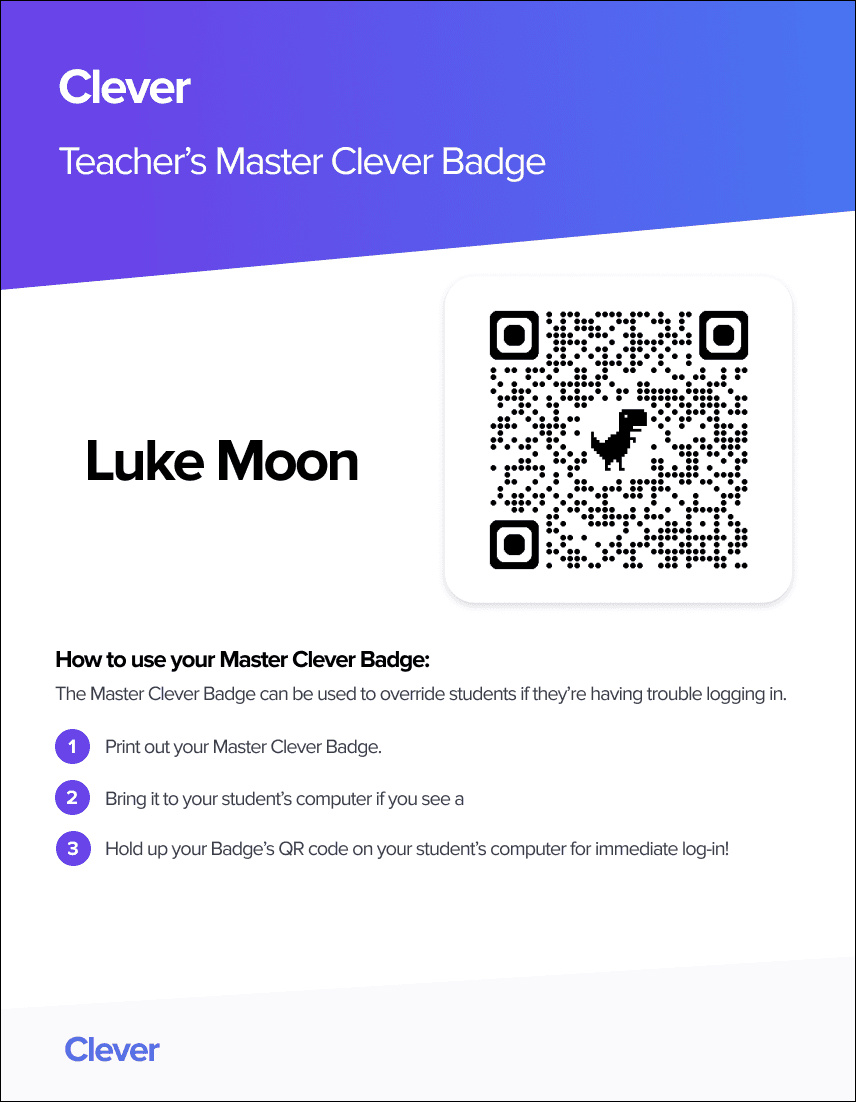
Master Badge
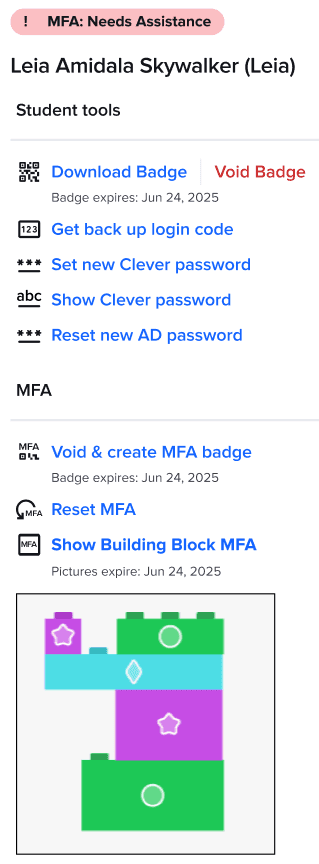
The final part of troubleshooting in a master badge for the teacher. This teach only works for students that are listed within their class and immediately bypasses the MFA when scanned. Ideally this code would only be active at specific times of the day when that class is happening. The teacher can then later show the student their build or allow them to reset it at a later point in time.
Reflection
This project was a great introduction to designing within a requirement-heavy design space. Due to the nature of this project being security focused with an at-risk population there were a lot of limitations and considerations placed on me. I also had think about implementation within a currently existing system while trying to reduce friction points. Overall, this was my most challenging project to date and pushed me as a designer.
Lets Connect
Feel free to reach out to me with opportunities or just to say hi!